
Changelog

Follow new updates and improvements to StoreRank.ai.

AI Search Indexing & smarter competitor tracking
AI Search Indexing
StoreRank now pushes your store updates to search engines through IndexNow the moment you make them. Products, collections, pages and blog posts are submitted automatically, and every submission shows up in Submission History with its status. IndexNow feeds Bing, which powers Microsoft Copilot and is one of the sources behind ChatGPT search. Google keeps picking up your changes through your sitemap. Find it under Settings → AI Search Settings.

Signed up before October 9, 2026? One quick step is needed: update your app proxy URL in Shopify so it ends in /apps/storerankai. Here’s how.

AI & Search Visibility: Competitors
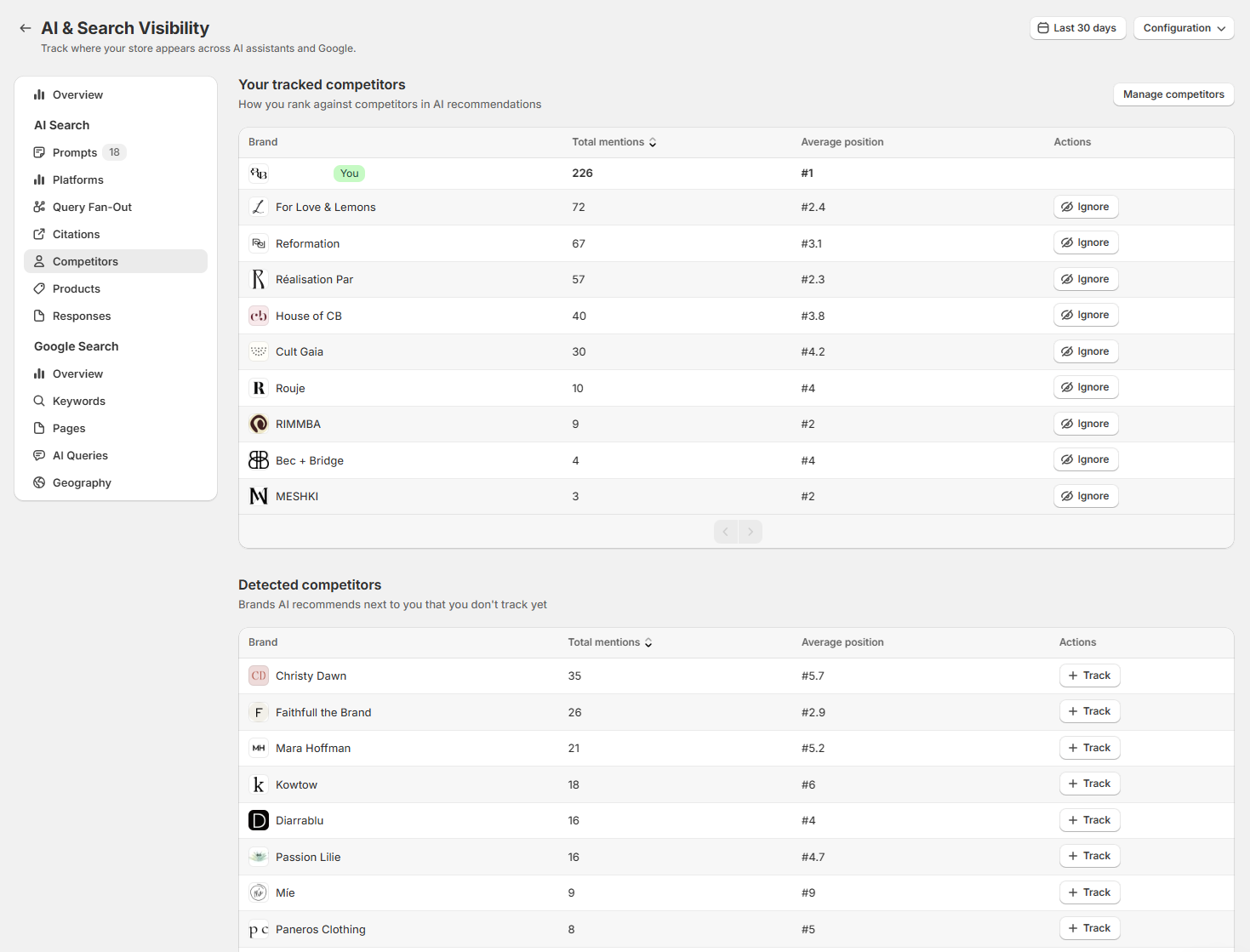
The Competitors view is now split into two sections: Your tracked competitors and Detected competitors. Detected competitors are brands AI recommends next to you that you don’t track yet. Add them to your tracked list with Track, or use Ignore to hide brands that aren’t real competitors. You can change your list anytime under Manage competitors.
NewImproved

Query Fan-Out, AI Queries & FAQs in Google Merchant Center

AI & Search Visibility: Query Fan-Out
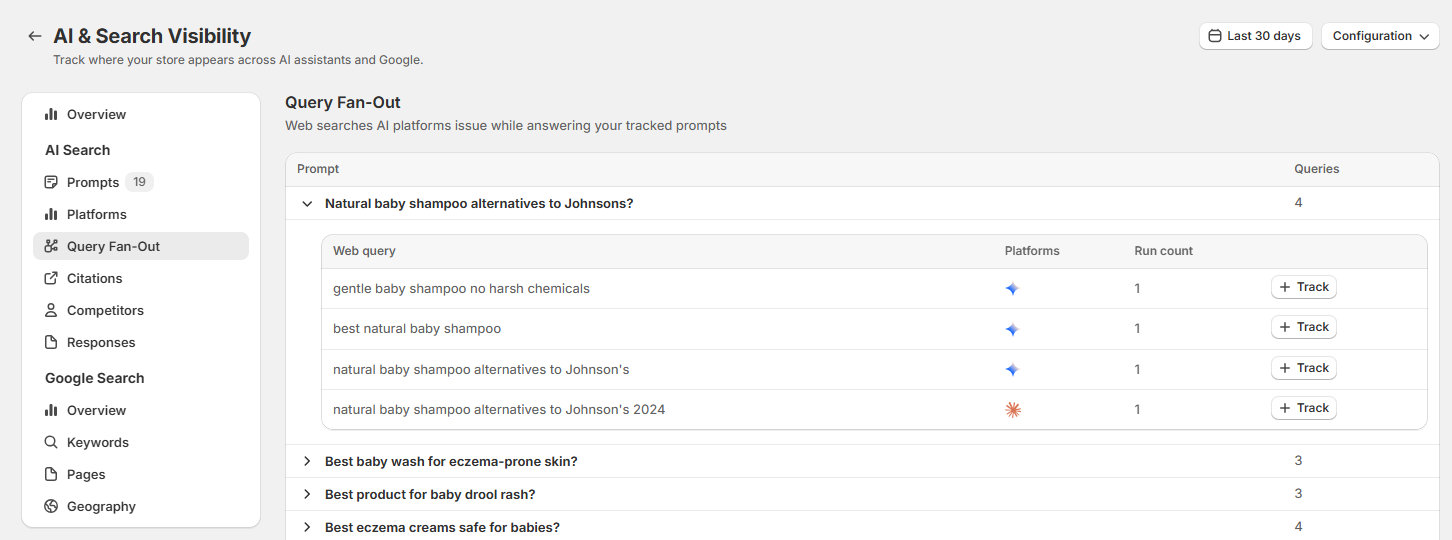
New tab that shows the web searches ChatGPT, Claude and Gemini run in the background when they answer your tracked prompts. Each search is grouped under its prompt, with the platform and run count, so you can see what AI looks up before it recommends a product. You can track any search as a prompt, or add it as a custom topic in AI Article Autopilot.

AI & Search Visibility: AI Queries
New tab that pulls the long, conversational queries (10+ words) from your Google Search Console data. These are the AI-style questions people now type into Google. Each query shows clicks, impressions, CTR and position, so you can spot content gaps and recurring shopper questions. Track a query as a prompt, or turn it into an article in one click. Requires Google Search Console to be connected.

AI Product Optimizer: FAQs in Google Merchant Center
StoreRank can now send your product FAQs to Google Merchant Center through the question_and_answer attribute, which Google built for conversational experiences like Google AI Mode. Switch it on in AI Product Optimizer → Settings → Google Merchant Center, then add the feed URL in Merchant Center as a supplemental data source. This only adds FAQs to products already in Merchant Center and doesn't change your existing Google sync.

New

Product Autopilot

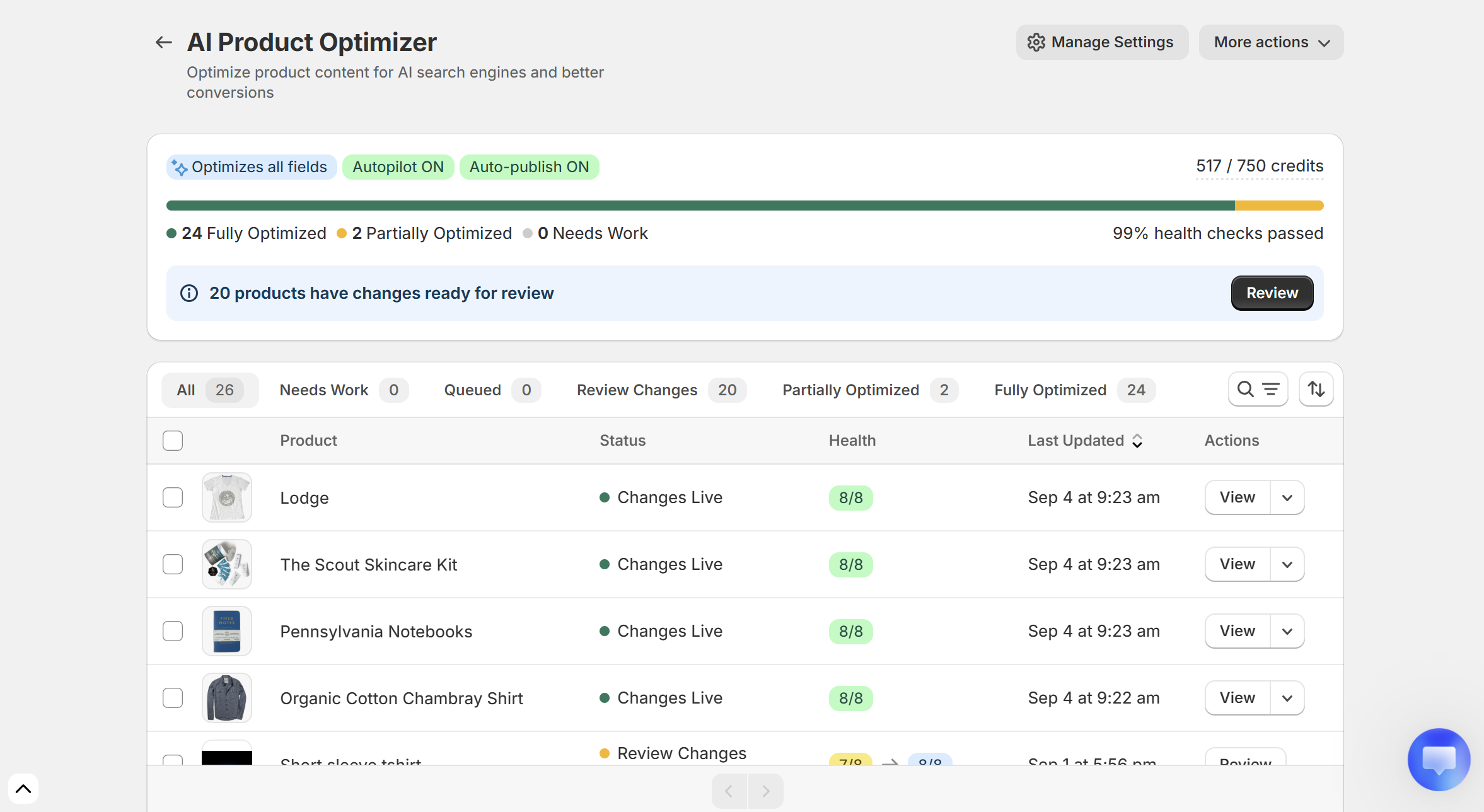
StoreRank can now optimize your new products automatically, and publish the improvements you choose without waiting for review.

What's new

Two switches under AI Product Optimizer → Settings:

Optimize new products automatically Every product you add gets optimized using your selected fields, up to your monthly credit limit. This creates suggestions only, it doesn't publish anything.

Publish improvements automatically You pick which fields go live without review. Everything else waits under Needs review for your approval.

Recommended setup

Auto-publish Meta titles, Meta descriptions and Image alt text. These aren't shown on your product page, they just help search engines and AI understand your products.

Keep review on for Product titles, Product descriptions and FAQs. Those are what shoppers see, so you'll want the final word. You can hand them over later once you like the output.

Good to know

  • Autopilot is off by default. Nothing changes until you enable it.

  • It applies to new products only. Existing products can still be optimized in bulk from the Product Optimizer.

  • Turning it on won't publish anything already sitting in Needs review.

  • You can change which fields publish automatically at any time.

NewImproved

Earlier updates