How to track the queries that triggered an AI Overview in Google?
See the exact questions people type into Google, the kind of searches that trigger AI Overviews.
Written By Tom van den Heuvel
Last updated 10 days ago
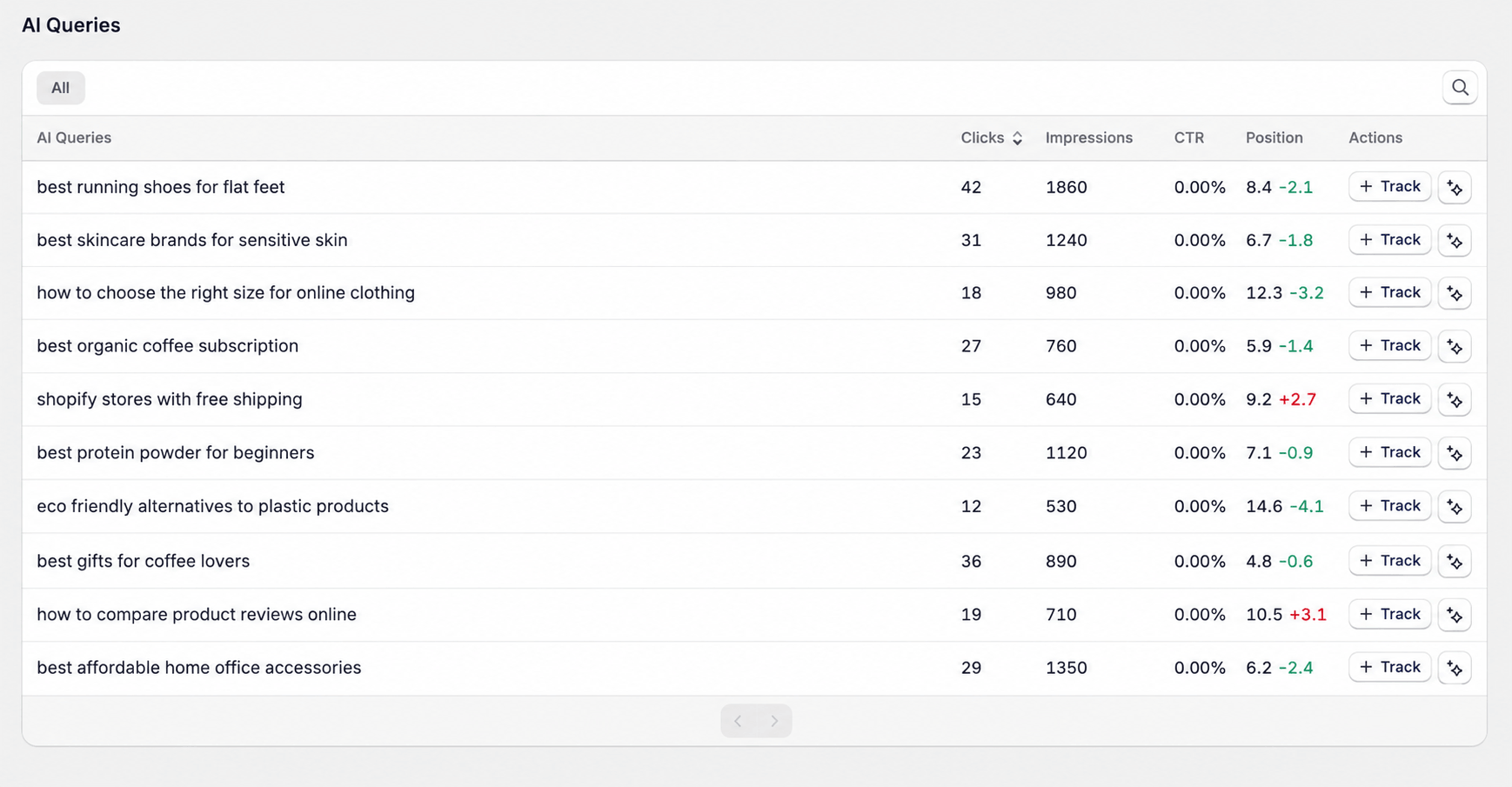
People increasingly type full questions into Google, like "what's the best shampoo for a baby". These long, conversational searches are the ones that often trigger a Google AI Overview. The AI Queries report shows you exactly which of these searches your store appeared for.
Where to find it
Go to AI & Search Visibility → Google Search → AI Queries. You'll see the exact phrases people used, with impressions and clicks for each.
This report needs Google Search Console connected. See How to connect Google Search Console.
What to do with it
Many impressions, few clicks? You show up but don't get chosen. Make sure the matching page answers that exact question clearly, near the top.
Questions you don't answer yet? Add them to your product FAQs, or turn them into Article Autopilot topics.
Good questions to track in AI? Add them as prompts, so you can see if ChatGPT and others recommend you for them too.
Was this helpful?
Still need help? Ask the team