How to Add Custom Topics
Add your own keywords to Article Autopilot and get volume and difficulty data on them.
Written By Tom van den Heuvel
Last updated 22 days ago
Besides the topics we suggest, you can add your own. We research each one for search volume, difficulty, and opportunity before it lands in your topic list.
How to add custom topics
In AI Article Autopilot, click Add custom topic.
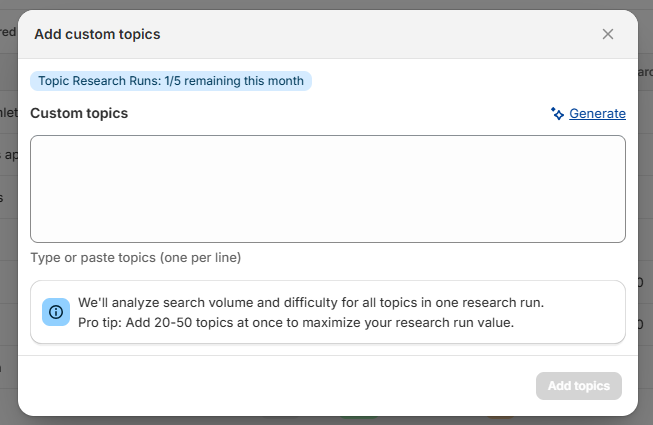
Type or paste your topics, one per line. Or click Generate to get suggestions based on your store.
Click Add topics. This runs the research.
Your topics appear in the list with Opportunity and Difficulty scores. Sort by Opportunity to see which to schedule first.
Batch your topics: research runs are limited
Each time you click Add topics, you use one research run, no matter how many topics you submit. Monthly runs by plan:
Starter: 5
Pro: 10
Growth: 15
Scale: 25
So add 20–50 topics at once. One run with 25 topics costs the same as one run with 1.
Was this helpful?
Still need help? Ask the team