Product stuck in “Processing” for a long time
Written By Tom van den Heuvel
Last updated 22 days ago
Sometimes a product stays on Processing longer than it should. This happens when the AI response times out, usually during peak load. Nothing is broken and no data is lost. The optimization just didn't finish.
How to fix it
Go to AI Product Optimizer
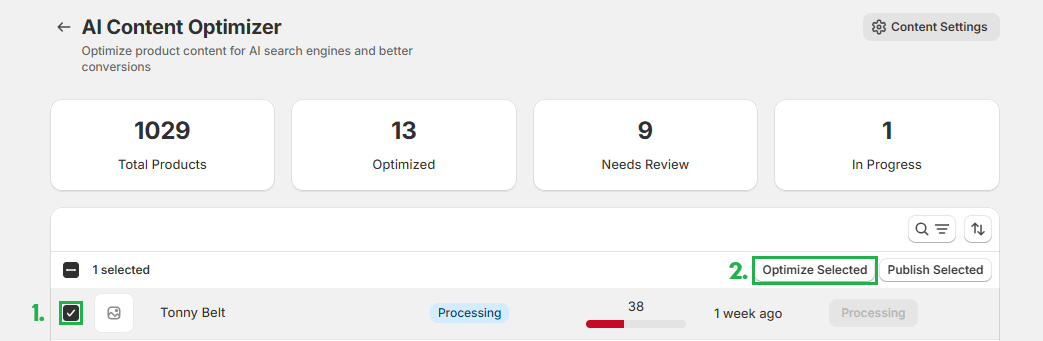
Tick the checkbox next to the product(s) stuck in Processing.
Click Optimize Selected at the top of the list.
The optimization restarts and completes normally. Re-running is safe: it won't duplicate content or schema.
If the same product keeps getting stuck, message us via live chat and we'll take a look.
Was this helpful?
Still need help? Ask the team