How to Display FAQs on Your Product Pages
Generated FAQs don't show on your product pages until you add the StoreRank FAQ section to your theme. It takes two minutes, once.
Written By Tom van den Heuvel
Last updated 10 days ago
AI platforms read your FAQs either way, through schema. To also show them to shoppers, add the StoreRank Product FAQs section to your product template. You only do this once.
Step 1: Open the theme editor
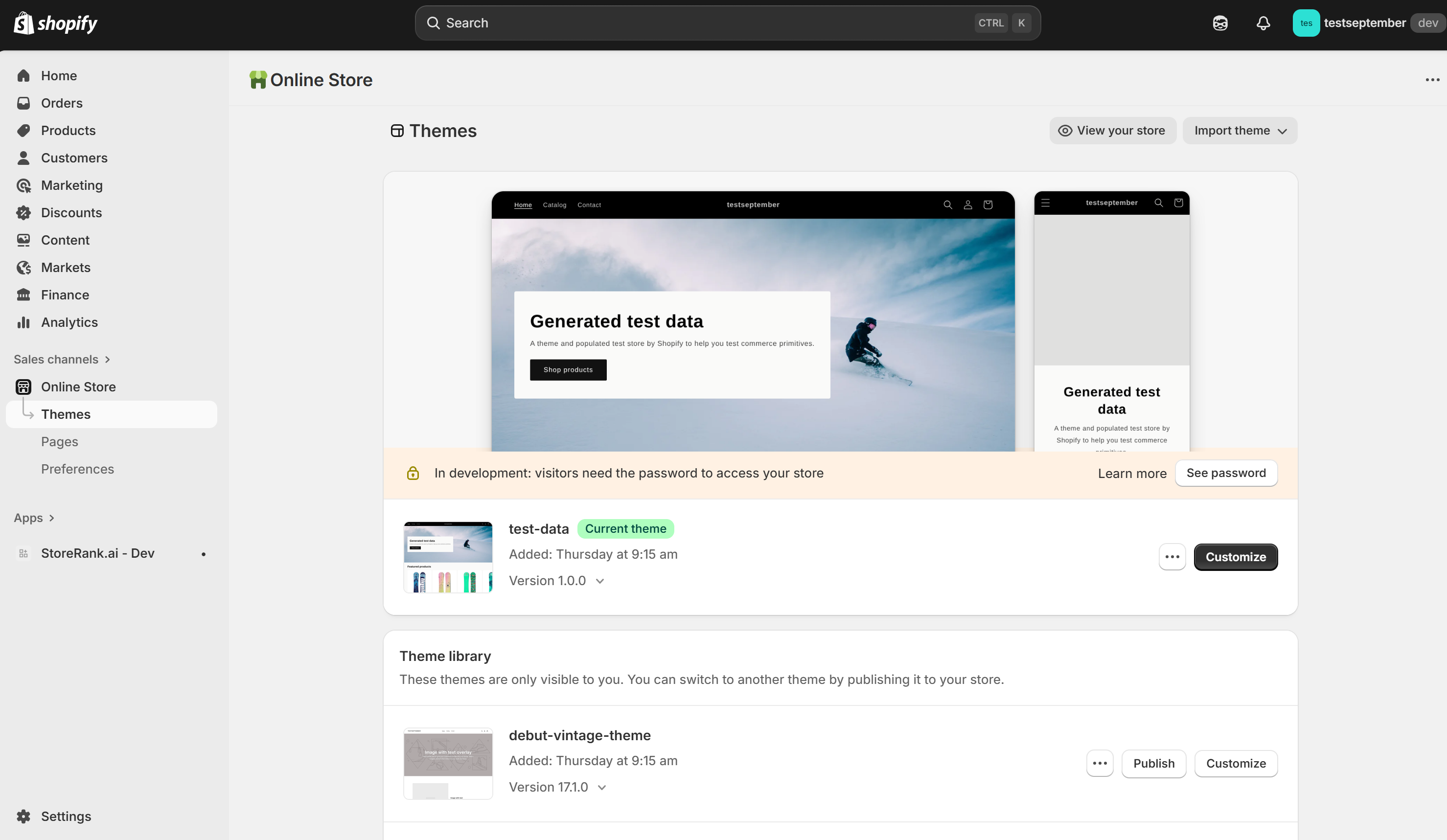
In Shopify, go to Online Store → Themes and click Customize on your live theme.
Step 2: Open the product template
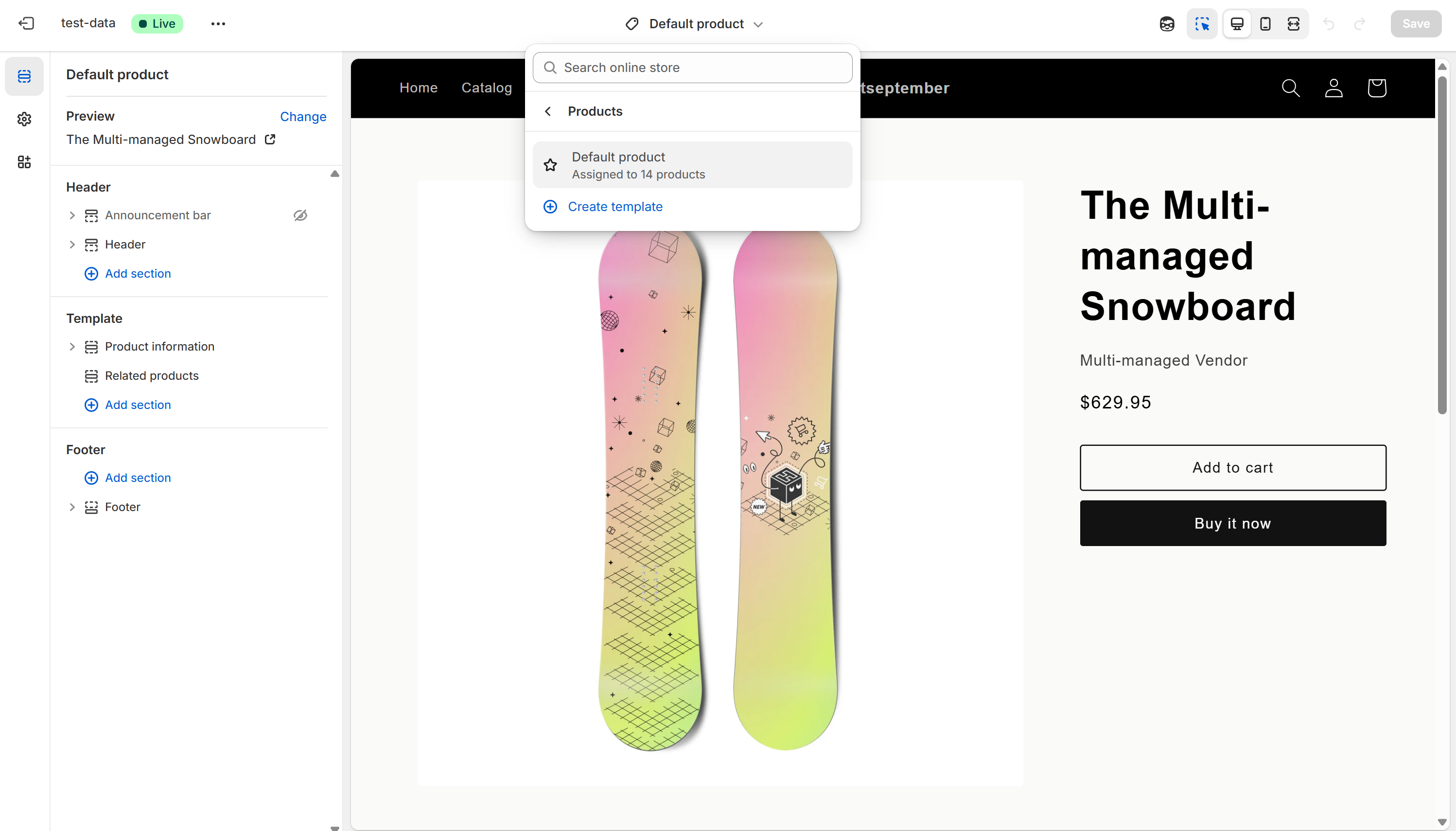
Click the page dropdown at the top of the editor and choose Products → Default product. This applies to all product pages.
Step 3: Add the FAQ section
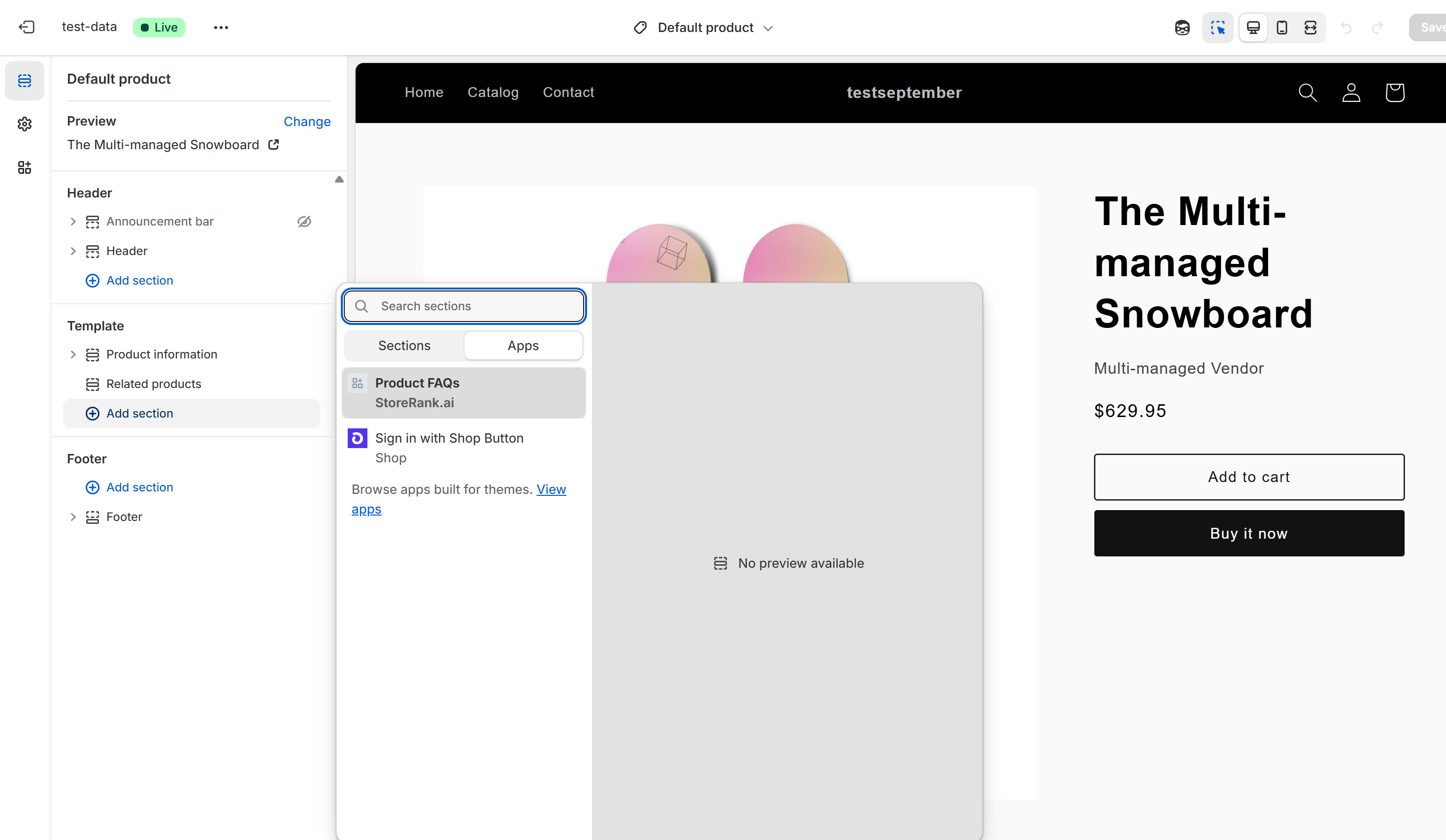
In the left sidebar, click Add section, open the Apps tab, and select StoreRank Product FAQs.
Step 4: Position it and save
Drag the section to where you want it. We recommend just below the product description, above reviews. Click the section to change the heading, colors, and expand behavior. Then click Save.
That's it. FAQs now show on every product that has published FAQs. Products without FAQs simply don't show the section.
Using more than one product template? Repeat steps 2 to 4 for each one.
FAQs not showing?
Check these in order:
Are the FAQs published? Only FAQs you've published from the AI Product Optimizer appear.
Did you save the theme after adding the section?
Is the app embed on? Go to Online Store → Themes → Customize → App embeds, switch on StoreRank AI Search Optimizer, and click Save.
Is FAQ schema on? Check Settings → Schema Settings so AI can read them too.
No "Apps" option under Add section?
Your theme probably doesn't support app blocks. Older or custom themes that use a legacy product.liquid template can't show app sections on product pages.
To check: go to Online Store → Themes → … → Edit code and open the Templates folder. If you see product.json, your theme supports app blocks. If you only see product.liquid, it doesn't.
On a legacy theme, your FAQs and FAQ schema still work, so AI and Google can still read them. Shoppers just won't see them on the page. To show them, switch to an Online Store 2.0 theme (like Dawn, Refresh, or Sense).
Was this helpful?
Still need help? Ask the team