How to optimize your best-selling products first
Written By Tom van den Heuvel
Last updated 10 days ago
Your best-sellers are where better content pays off fastest. Shopify doesn't give apps a "best-sellers" filter, but there's an easy workaround: create a collection sorted by best selling, then filter on it in StoreRank.
Step 1: Create a best-sellers collection in Shopify
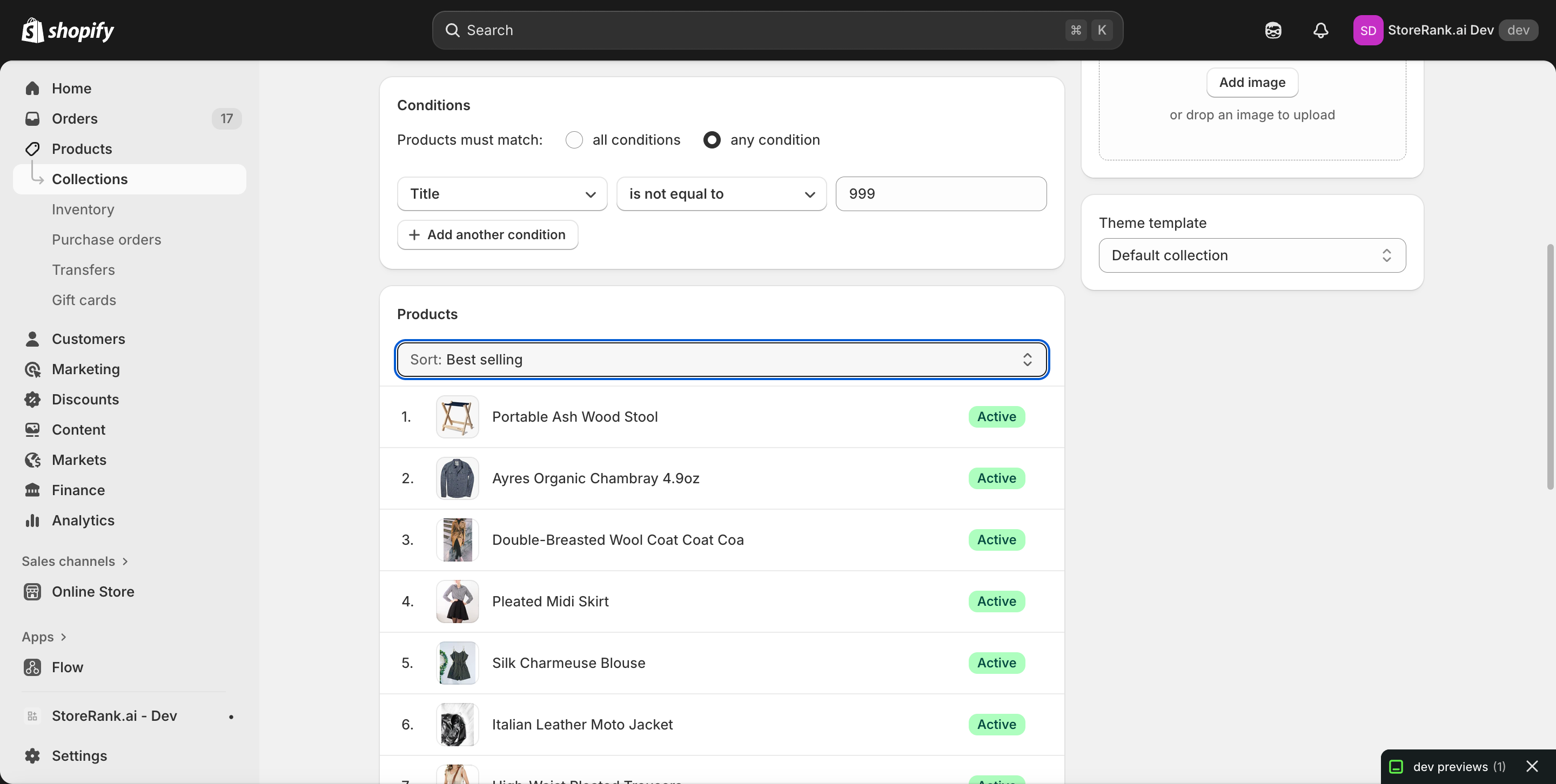
Go to Shopify admin → Products → Collections and click Create collection.
Choose a type:
Automated (recommended): includes all products. Add any always-true condition, for example Title → is not equal to → 999.
Manual: handpick your top sellers.
In the Products section, set Sort to Best selling.
Click Save.
Step 2: Filter on it in StoreRank
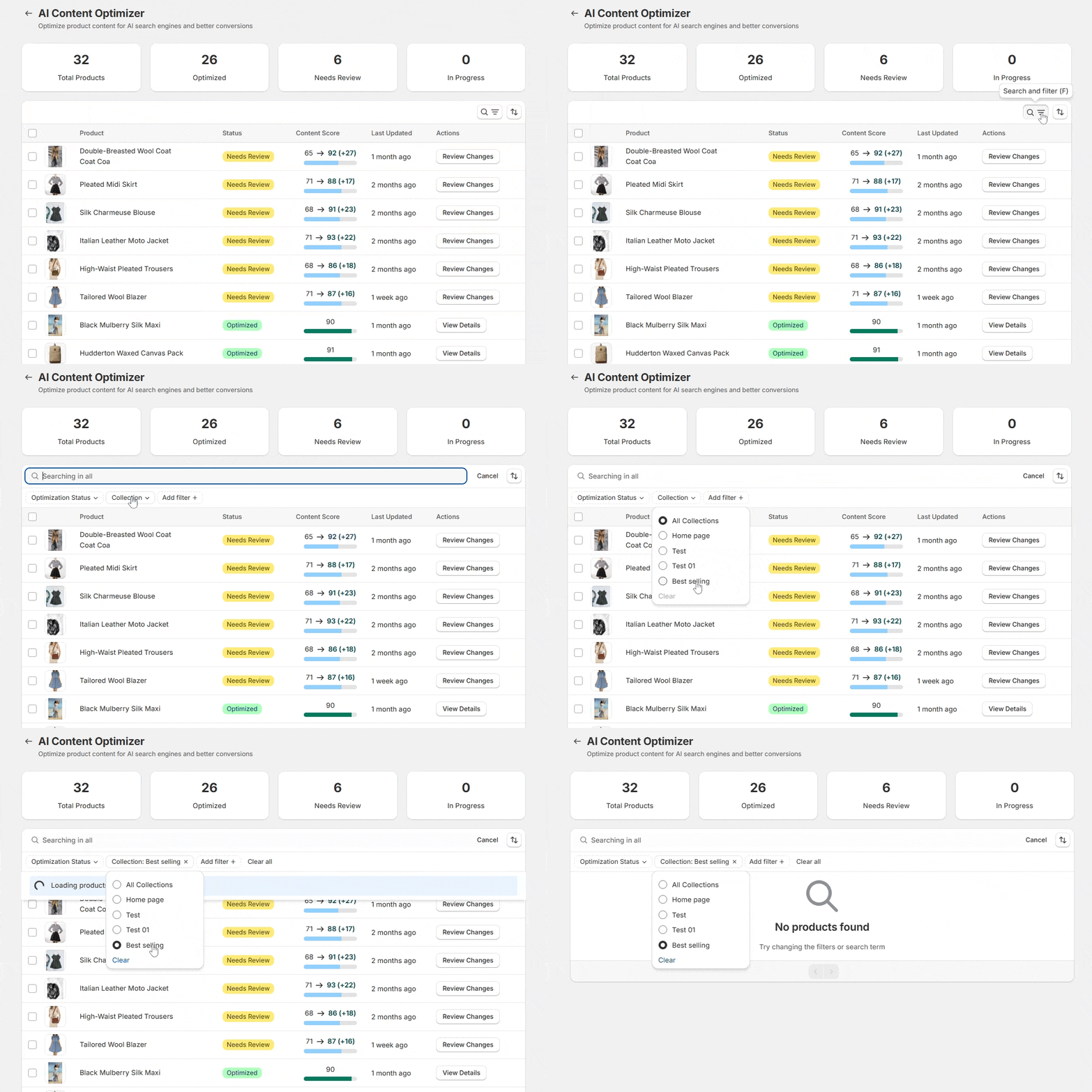
Open AI Product Optimizer, open the filters, and select your new collection. Your Shopify collections show up there automatically. Now select your best-sellers and optimize them in bulk.
Good to know
Shopify's "Best selling" sort is based on all-time sales volume, not recent sales.
The collection doesn't show on your storefront unless you add it to your navigation or a page.
Was this helpful?
Still need help? Ask the team